How to Redeem Ragdoll Realism Codes
Exact redeem habits for when a real promo drops—plus how to spot fake codes and keep your Roblox account safe.
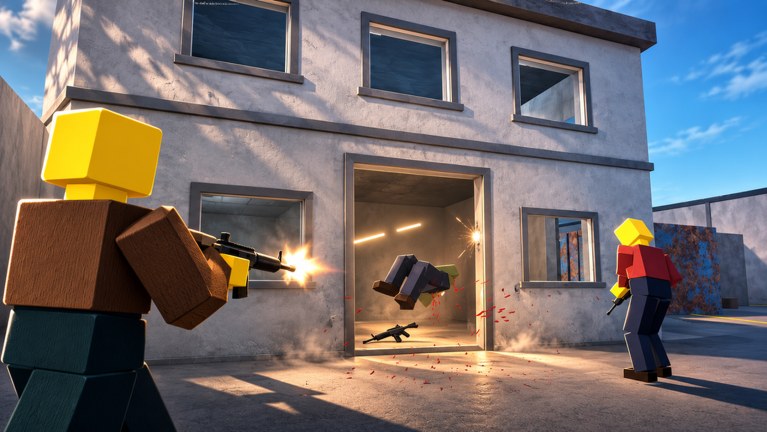
This guide explains how to redeem codes in Ragdoll Realism the safe way. Read it together with the Codes Hub, which currently reports no verified working codes for this game as of November 2026. Knowing the redeem process early means you will not panic-click a fake list the day a real promo finally appears.
Ragdoll Realism is a Roblox physics and combat sandbox by IsFluxHere. You earn Cash through Sandbox and Survival play, unlock weapons, and can buy the Sandbox Pack for time controls and dummy spawning. Promo codes—if the developer adds them—are a bonus on top of that loop, not a required step to enjoy the game.
Important status check before you type anything
Before you open a redeem field, confirm two facts:
- The Codes Hub still lists the code as active (or you personally verified it in a fresh session).
- The string is for Ragdoll Realism, not a sibling ragdoll experience.
Codes from Ragdoll Sandbox (including well-known strings like SANDBOX) do not belong here. Pasting another game’s code will not grant Cash in Ragdoll Realism. Treat any influencer thumbnail that mixes the two titles as unreliable until proven otherwise.
If the experience has no Codes / Redeem / Gift UI at all, there is currently nothing to redeem. Close the third-party tab and return to normal play.
Typical Roblox redeem flow
Developers place redeem UIs in a few common spots. When Ragdoll Realism adds one, walk through these steps in order:
1. Join on the correct account
Open the official experience from the Links Hub or the Roblox game page for place 81315647087659. Make sure you are logged into the account that should receive the reward. Codes usually bind to the account that redeems them; sharing a code with a friend does not always mean both of you get the gift if the code is single-use or limited.
2. Find the redeem entry point
Scan the HUD for buttons labeled Codes, Redeem, Rewards, Gifts, or a letter-tile ABC icon. Also open Settings and look for a text box near visual options or account extras. Some games hide redeem behind a shop NPC or a menu tab that only appears after the tutorial. If nothing matches those patterns, the game may not support codes yet—do not install random “code redeemers” from strangers.
3. Enter the code exactly
Copy and paste when possible. Manual typing introduces the most failures: wrong capitalization, missing digits, or trailing spaces. Do not add punctuation the list did not include. If the UI shows an error, wait a few seconds and try once more before assuming the code is dead.
4. Confirm the reward landed
Check your Cash total, weapon unlock list, and any Sandbox Pack ownership flags. If the UI looks stale, leave and rejoin once. A successful redeem should show a confirmation toast or a balance change. If nothing moves after a clean rejoin, the code is likely invalid, expired, already used, or never meant for this game.
5. Note the date you redeemed
Keep a short personal log (code, date, reward). That habit helps when comparing future lists on this wiki and when asking whether a code is region-locked or already expired.
What to do while there are no codes
Because the Codes Hub currently shows an empty verified table, your best progression path is normal gameplay:
- Spend sessions in Sandbox learning weapon feel and ragdoll physics.
- Run Survival zombie waves for steady Cash.
- Unlock weapons carefully using the Weapons Tier List Hub so early Cash is not wasted.
- Follow Getting Started if you are brand new, then browse the Guides Hub for mode-specific tips.
- Watch the Updates Hub after patches—codes sometimes ship with content drops.
Favorite the game and follow IsFluxHere so you see announcements without relying on random code aggregators.
Safety rules that protect your account
Redeeming should never require:
- Your Roblox password, email code, or 2FA tokens
- Browser extensions that “auto claim” every Roblox code
- Downloads that claim to inject Cash into Ragdoll Realism
- Paying a stranger for a “private working code list”
Those patterns are scams or malware vectors. Community executors and scripts are a separate topic covered on the Scripts Hub with explicit ban and malware warnings. Codes themselves should be free text entered inside the official experience—or they are not real codes.
Also be careful with Discord DMs and group walls that paste long code dumps without a date. Prefer short, dated announcements from the creator, then confirm on this wiki.
Troubleshooting failed redeems
| Symptom | Likely cause | What to try |
|---|---|---|
| ”Invalid code” | Typo, wrong game, or never existed | Re-copy from a trusted list; confirm it is for Ragdoll Realism |
| ”Already redeemed” | Your account used it | Nothing—move on |
| ”Expired” | Timed promo ended | Remove it from your personal list |
| No redeem UI | Codes not implemented yet | Ignore third-party claim; keep playing |
| Reward missing after success toast | UI desync | Soft rejoin once; check Cash and unlocks |
If every public list fails and the developer has never mentioned codes, assume the feature is not live. Filling the gap with invented strings only spreads bad information.
How this wiki will handle future codes
When a code is verified, the Codes Hub table will gain a row with reward text and status. This how-to page will stay focused on process and safety so we do not duplicate the live list in two places. If the redeem UI moves (for example from HUD button to Settings), we will update the steps here after confirming the change in a live session.
Related links
- Codes Hub — live verified status (currently none)
- Scripts Hub — executor tools and risk warnings
- Guides Hub — earn Cash and learn modes the legitimate way
- Players Hub — creator context for IsFluxHere
- Links Hub — official Roblox game URL and resource shortcuts
Redeem patiently, verify the game name on every list, and never trade account access for a promised code. Until a real promo ships, treat empty tables as accurate—not as a reason to invent rewards.
Frequently Asked Questions
Quick answers to the most common Ragdoll Realism questions.
Can I redeem codes in Ragdoll Realism today?
Only if a verified code exists and the game exposes a redeem UI. As of November 2026 the Codes Hub lists no confirmed codes, so there may be nothing to enter yet.
Where is the Codes button?
When implemented, check the HUD for Codes, Redeem, Rewards, Gift, or ABC buttons, and also open Settings for a text field. If none appear, codes are likely not available.
Why did my code say invalid?
Common causes are typos, expired promos, codes already used on your account, or strings copied from a different ragdoll game such as Ragdoll Sandbox.
Do I need a script or executor to redeem codes?
No. Real promo codes are entered inside the official experience. Anything that asks you to run a redeem script is a red flag—see the Scripts Hub for separate executor risks.
What should I do instead of hunting fake codes?
Earn Cash in Sandbox and Survival, unlock weapons with the tier list, follow IsFluxHere, and recheck the Codes Hub after updates.