Ragdoll Realism Player Tools & Checklists
Lightweight planners for Cash, Sandbox Pack, and mode preparation — no gimmicky widgets required.
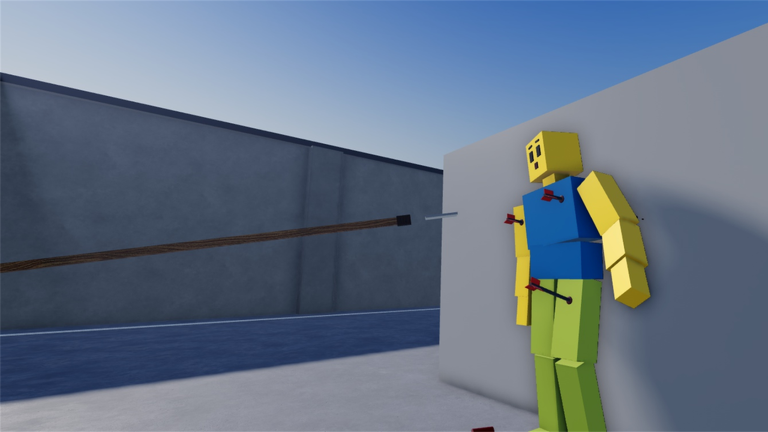
What this hub is for
The Tools section collects practical, checklist-style pages you can follow while playing Ragdoll Realism. These are not browser mini-games and not Roblox plugins. They are structured markdown planners that keep Cash spending, Sandbox Pack timing, and mode prep honest.
Start here if you already know the basics from Getting Started and want a repeatable routine instead of another lore dump.
Featured tool
- Cash Progression Checklist — earn Cash in Sandbox or Survival, prioritize weapons, and decide when the Sandbox Pack is worth buying
Print it mentally (or keep the tab open) whenever you finish a session and wonder what to unlock next.
How these tools fit the game
Ragdoll Realism by IsFluxHere mixes freeform physics toys with light progression:
- Sandbox — experiment on dummies with guns, melee, throwables, and physics tools
- Survival — fight zombie waves while still earning Cash
- PvP and scenarios — added in the PvP + Scenarios update
- Co-op invites — up to four players after Multiplayer + Content
- Cash — spend on weapons and the Sandbox Pack (time controls + custom dummy spawning)
Tools pages translate that loop into ordered steps. Deep narrative and control explainers stay in the Guides Hub; patch history stays in the Updates Hub.
Recommended workflow
- Skim Earn Cash so you know both modes pay.
- Open the Cash Checklist and mark your current unlocks.
- Decide whether your next purchase is a flexible weapon or the Sandbox Pack.
- Practice new gear in Sandbox Mode before PvP.
- Apply the kit in Survival Mode or PvP & Scenarios.
- Recheck Codes only for verified promos — none are confirmed as of November 2026.
What we refuse to fake
- Exact Cash prices that Roblox UI does not publish in our research set
- Invented weapon tier numbers presented as official
- Promo codes copied from unrelated ragdoll sandboxes
- “Interactive” calculators that pretend to sync with your Roblox inventory
If a future update adds transparent price tags or battle-pass style tracks, we will extend the checklist pages — we will not guess numbers today.
Pair tools with these hubs
- Weapons and Weapons Tier List Hub — qualitative loadout advice
- Sandbox Pack — what time controls and dummy spawning actually add
- Creator Hub — follow IsFluxHere for patch timing
- Official Links — outbound resources
- Scripts Hub — community tool risk notes (separate from these planners)
Why checklists beat random grinding
Without a plan, players bounce between Survival waves and Sandbox goofs, buy the flashiest gun, then realize they still lack time controls for serious experiments. A short checklist forces three questions every session:
- Did I earn Cash efficiently?
- Does my next unlock help multiple modes?
- Am I ready for Sandbox Pack quality-of-life?
Answer those, and PvP duels plus Stop the Intruders / Ambush Escape runs feel less punishing.
Coming back after an update
When IsFluxHere ships another drop, return to this hub, reopen the Cash Checklist, and ask whether new modes change spending priority. After Multiplayer landed, for example, groups often preferred unlocking a shared-friendly mid-tier gun before cosmetic Settings flair. Track those preferences on the checklist page rather than rewriting your whole brain each patch.
Play the game here: Ragdoll Realism on Roblox.
Frequently Asked Questions
Quick answers to the most common Ragdoll Realism questions.
Are these tools downloadable apps?
No. They are wiki checklist pages you follow while playing. Nothing installs on your PC beyond your browser.
Which tool should I open first?
The Cash Progression Checklist. It covers Sandbox Pack timing and weapon unlock priorities.
Do tools replace guides?
No. Guides explain systems in depth; tools give ordered steps you can tick off during a session.
Will you add a live Cash calculator?
Not without reliable public price data. We keep planners honest instead of inventing numbers.
Where do patch notes live?
On the Updates Hub. Use Tools afterward to adjust your unlock order.